

UX Guidelines
The following UX Guidelines are intended to provide your users with the best Pay by Bank experience possible. We have done extensive market research on best practices and successful messaging. Following these research-backed, consumer-tested guidelines, you will see higher conversion rates, better Pay by Bank adoption, and more smooth customer experiences.
In this guide, you fill find guidelines on the following topics:
- Use Pay by Bank via Aeropay instead of Online Banking
- Use Aeropay logo instead of Aeropay in plain text
- Recommended Messaging and Promotions
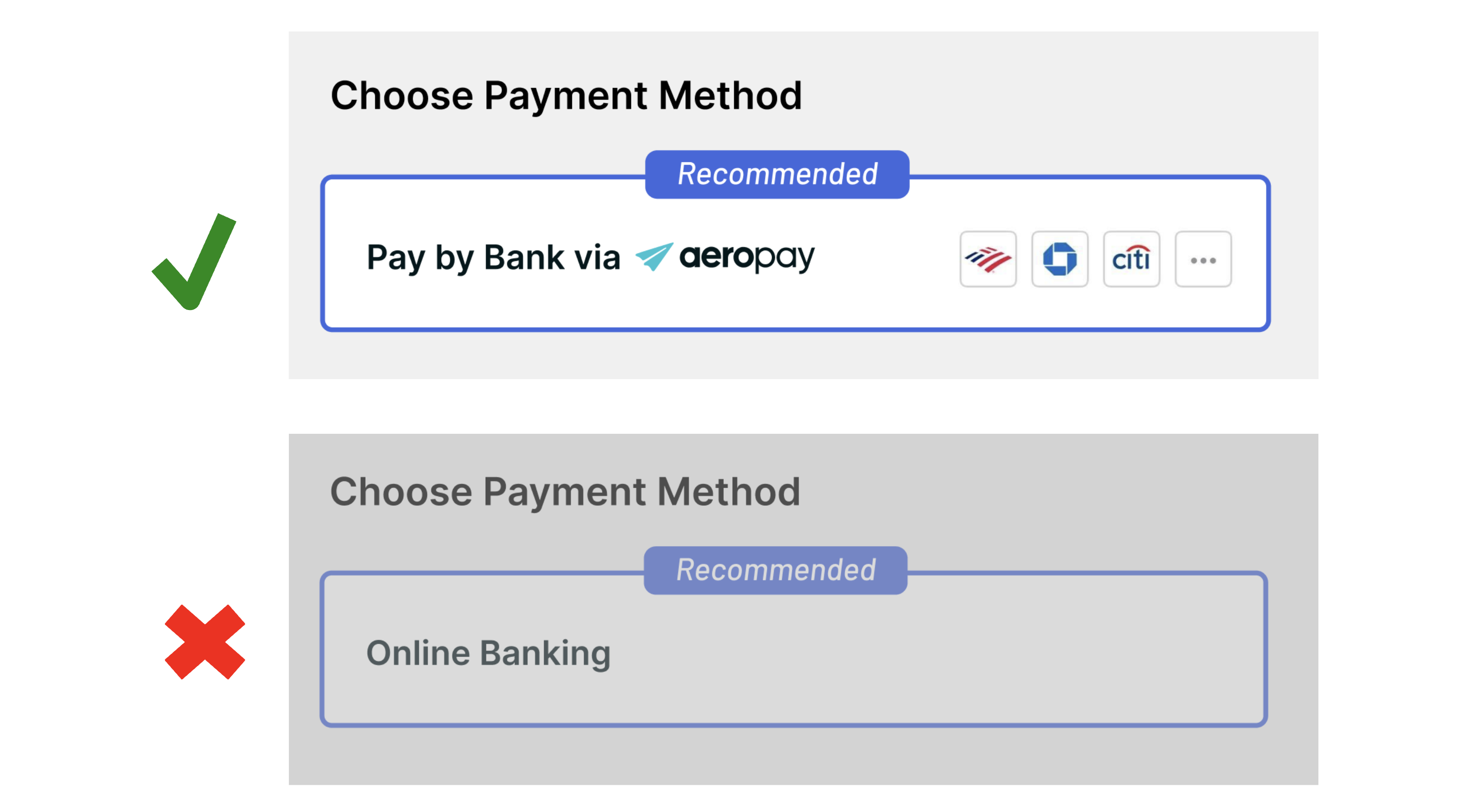
1. Use Pay by Bank via Aeropay instead of Online Banking
It's clear and straightforward
“Pay by bank” tells users exactly what they’re doing: paying directly from their bank account. “Online banking” sounds broader, outdated, and can be confusing, like they need to go log in to their bank’s website first.
Matches how customers will pay (by bank)
“Online banking” might make users think they must take extra steps, making the process seem more complicated. "Pay by bank" matches the action the user will take.
Keeps the focus on payment
You want your users to focus on quickly making a payment, not thinking about their overall banking. “Online banking” might make them think it’s more about accessing their bank account than completing a payment.
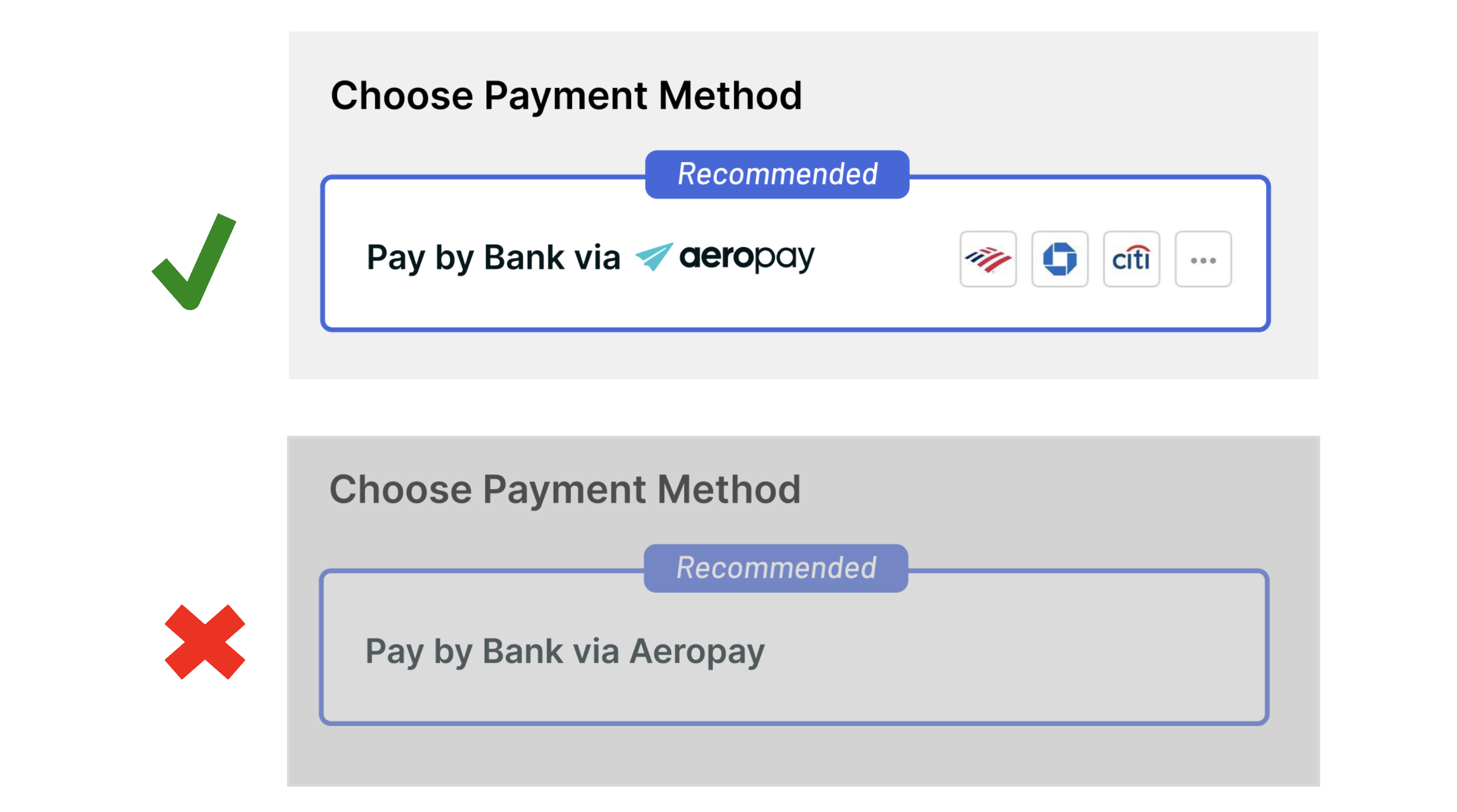
2. Use Aeropay logo instead of Aeropay
When referencing Aeropay or suggesting its use, use the Aeropay logo or the word “Aeropay” rather than non-branded language. Customers appreciate the transparency from the Aeropay logo and can feel confused by messaging that doesn’t mention “Aeropay”.
Not only do customers feel more comfortable when they know who is responsible for moving their money, but they also need to know for security and support purposes.
3. Recommended Messaging and Promotions
You can encourage use of bank payments on your platform by using the provided copy below to illustrate how easy, safe, and secure Aeropay is throughout the payment experience.
A. Top placement and preselection
Placing Aeropay at the top of the wallet and auto-selecting Pay by Bank as the preferred payment option helps promote adoption of pay by bank and reduces time to first payment.

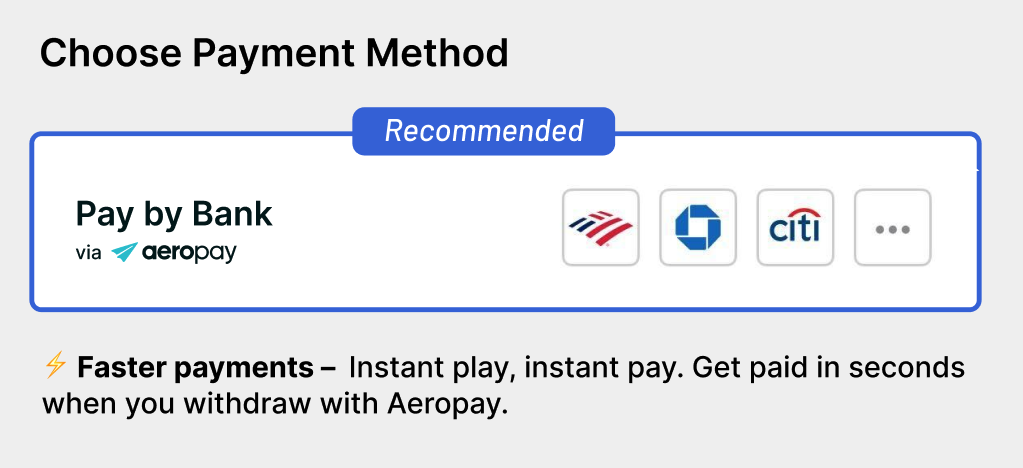
B. Promoting instant withdrawals
For gaming and stored-wallet use cases, you can incentivize pay by bank adoption by promoting Aeropay's instant payments both on deposit and withdrawal payment flows.
"Faster payments — Instant pay, instant play. Get paid in seconds when you withdraw with Aeropay."
C. Promote Pay by Bank
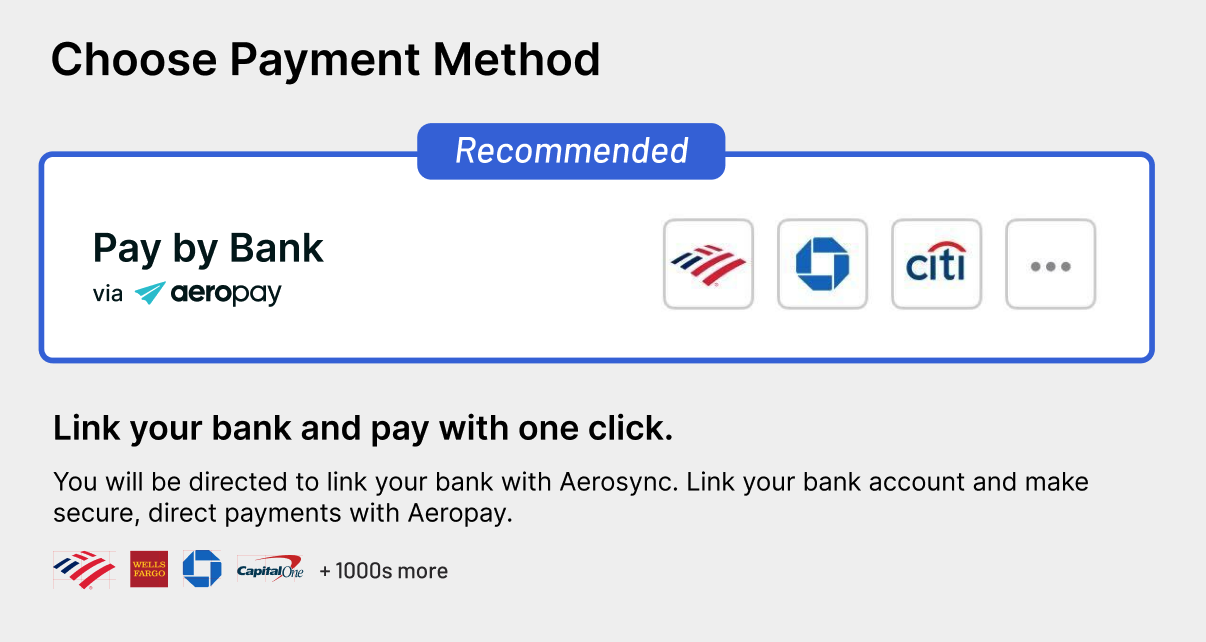
For general use cases, you can incentivize pay by bank adoption by calling out Aeropay's easy and seamless bank connection process. With fast bank connections and direct payments, Aeropay makes onboarding a user to pay by bank easier than ever.
"Link your bank and pay with one click."
"Link your bank account and make secure, direct payments with Aeropay."
4. Show the Selected Bank and Available Bank Accounts
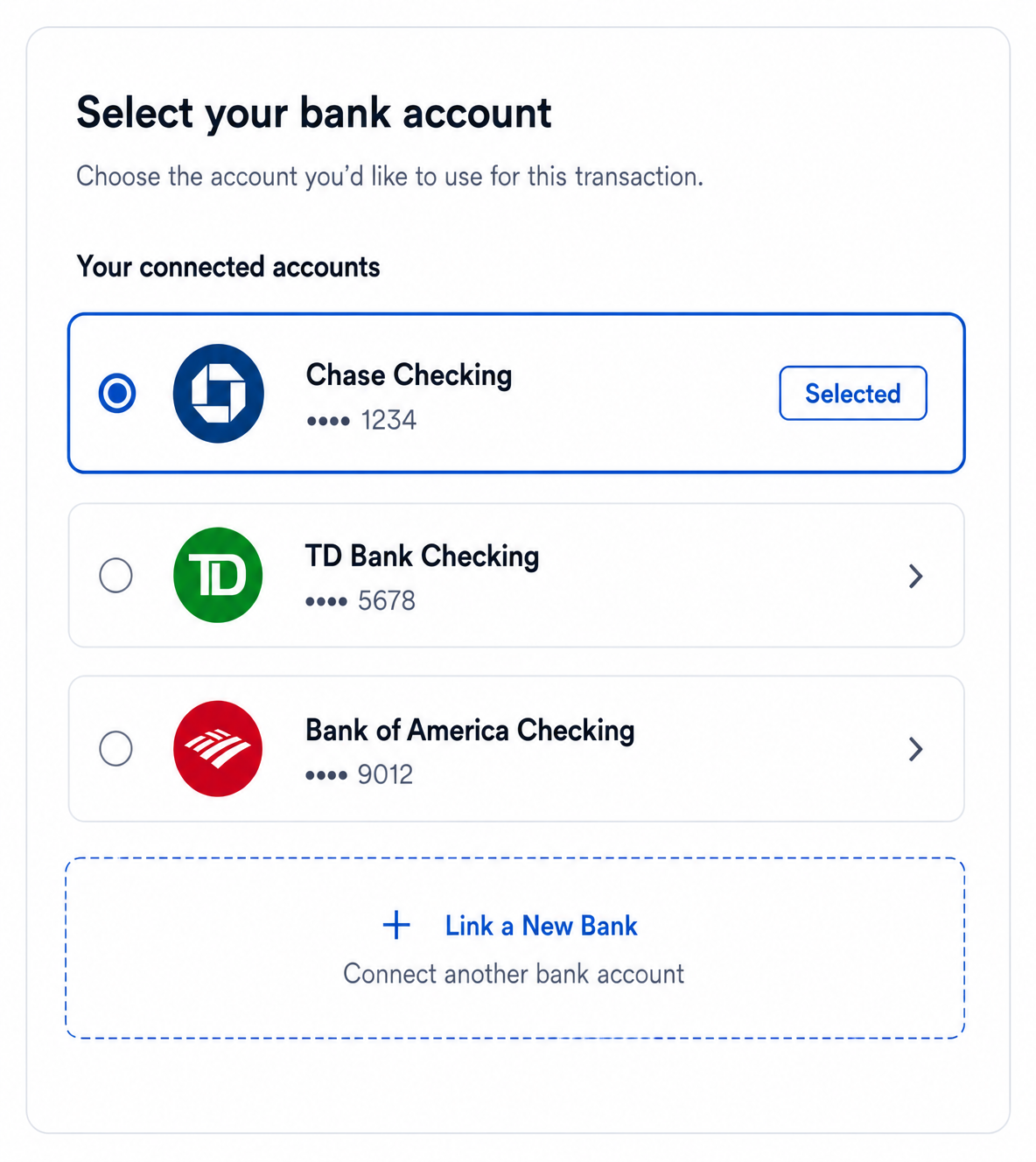
Make returning users' connected banks immediately available
Users who have already connected bank accounts through the Aeropay network should not be required to reconnect their bank or start the bank-linking flow again. At the beginning of each authenticated session, retrieve the user's current bank accounts and display the available accounts within the payment experience.
Preselect the account returned with isSelected: true, while allowing the user to select another connected account or Link a New Bank before completing the transaction. Newly linked accounts should become the selected account.
This creates a faster experience for returning users and ensures the payment flow reflects the user's current Aeropay bank connections rather than relying on previously stored bank account information.
Recommended implementation:
- Retrieve the current account list using GET /bankAccounts, or the equivalent GET /user response, at least once at the beginning of each authenticated session.
- Display all currently connected accounts returned by Aeropay.
- Preselect the account where isSelected: true.
- Allow the user to choose another connected account.
- Always provide an option to Link a New Bank.
Updated 2 months ago