

Manage Transactions, Users, or Banks
Managing Transactions
Option 1: Aeropay Merchant Portal
For the lowest lift implementation, all payments can be managed in our Aeropay merchant portal. From here, employees can void, refund, and capture transactions as well as download reports of transactions in our pre-built UI.
Option 2: API Integration
Alternatively, you can fully integrate with Aeropay's transaction management APIs to allow your employees to manage payments in your own back office.
Tokens for Managing Transactions
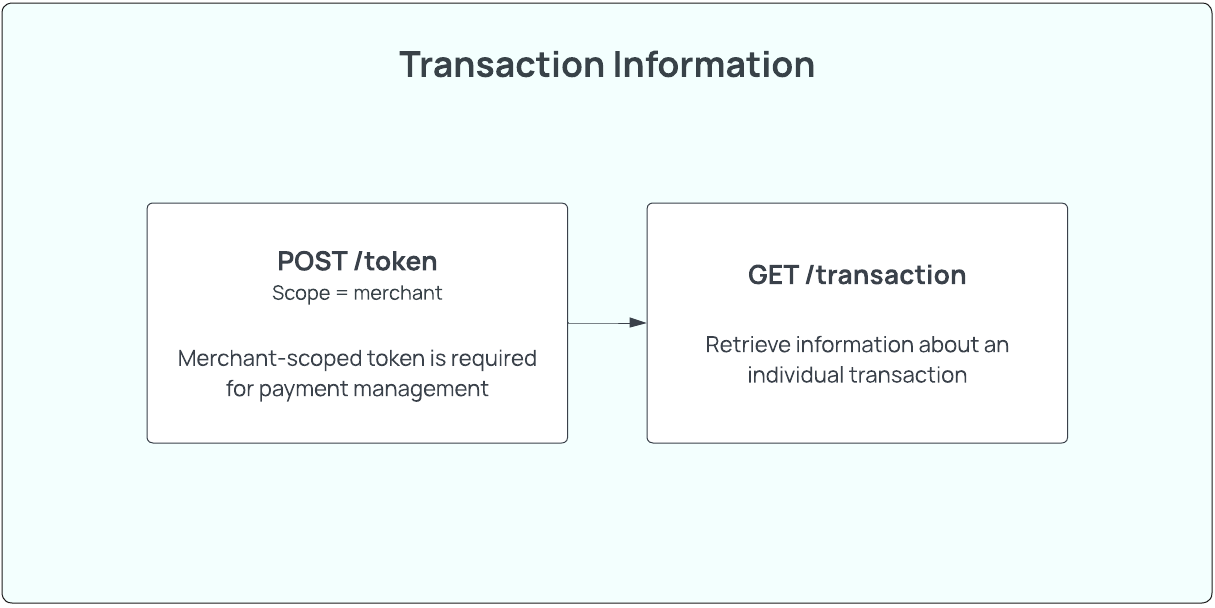
All API endpoints for managing transactions require a merchant-scoped token. All tokens have a time to live (TTL) of 30 minutes.
curl --request POST \
     --url https://api.sandbox-pay.aero.inc/v2/token \
     --header 'Content-Type: application/json' \
     --header 'accept: application/json' \
     --data '
{
    "apiKey" : "key",
    "apiSecret" : "secret",
    "scope" : "merchant",
    "id" : 1057
}
Regular Transactions
Retrieve information about an individual transaction using the GET /v2/transaction endpoint. Transactions can be fetched either by the Aeropay transaction ID or the transaction UUID sent from your system.
GET /v2/transaction
curl --request GET \
     --url 'https://api.sandbox-pay.aero.inc/v2/transaction/{{transactionId}}' \
     --header 'Content-Type: application/json' \
     --header 'accept: application/json' \
     --header 'authorization: Bearer {{token}}'
Preauthorized Transactions
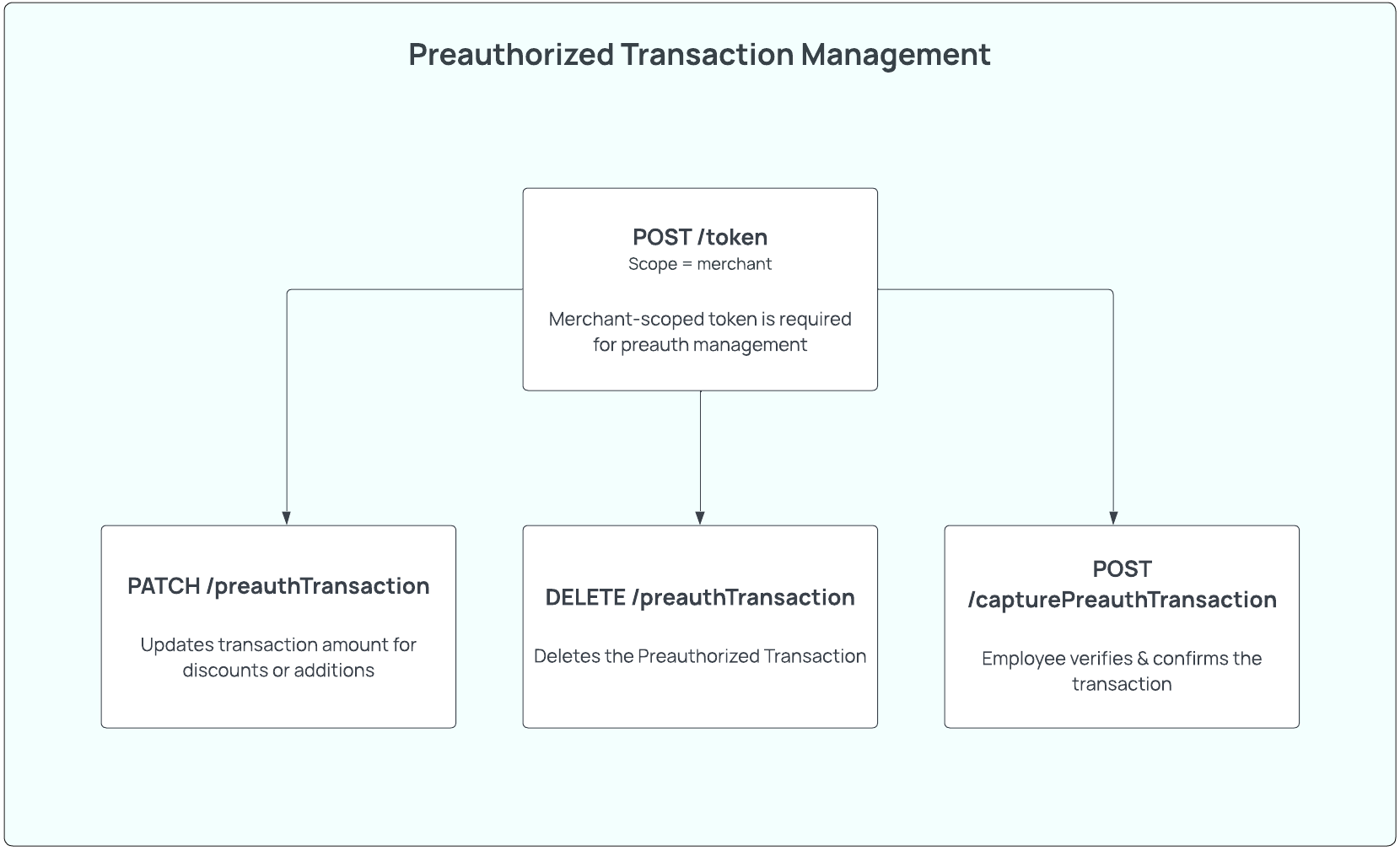
Preauthorized transactions do not initiate the movement of any funds, but instead store the details of a transaction that must be captured later by an employee. Because preauthorized transactions are not processed until captured, these types of transactions can be updated with PATCH /v2/preauthTransaction or deleted with DELETE /v2/preauthTransaction. Preauthorized transactions can be captured with POST /v2/capturePreauthTransaction endpoint.
PATCH /v2/preauthTransaction
Preauthorized transactions are updated using the PATCH /v2/preauthTransaction endpoint. The total amount and tip amount can be increased or decreased.
curl --request PATCH \
     --url https://api.sandbox-pay.aero.inc/v2/preauthTransaction/{preauthTransactionId} \
     --header 'Content-Type: application/json' \
     --header 'accept: application/json' \
     --header 'authorization: Bearer {{token}}' \
     --data '
{
  "bankAccountId": "12341",
  "merchantId": "1748",
  "amount": {
          "amount": 1234,
          "currency": "USD"
   }
}
'
DELETE /v2/preauthTransaction
Preauthorized transactions can be deleted using the DELETE /v2/preauthTransaction endpoint. If a preauthorized transaction has already been captured, it cannot be deleted and instead need to be refunded via POST /v2/reverseTransaction.
curl --request DELETE \
     --url 'https://api.sandbox-pay.aero.inc/v2/preauthTransaction/{{preauthTransactionId}}' \
     --header 'Content-Type: application/json' \
     --header 'accept: application/json' \
     --header 'authorization: Bearer {{token}}'
POST /v2/capturePreauthTransaction
Once an employee verifies and confirms that an order has been completed, a preauthorized transaction can be captured using the POST /v2/capturePreauthTransaction. This endpoint will initiate the movement of funds for the transaction.
POST /v2/capturePreauthTransaction will return a transactionId that can be used to track the transaction going forward.
curl --request POST \
     --url https://api.sandbox-pay.aero.inc/v2/capturePreauthTransaction \
     --header 'Content-Type: application/json' \
     --header 'accept: application/json' \
     --header 'authorization: Bearer {{token}}' \
     --data '{"id":"1234"}'
GET /v2/preauthTransaction
Retrieve information about an individual transaction using the GET /v2/preauthTransaction endpoint. Transactions can be fetched either by the Aeropay preauth ID or the transaction UUID sent from your system.
curl --request GET \
     --url https://api.sandbox-pay.aero.inc/v2/preauthTransaction/{{preauthTransactionId}} \
     --header 'Content-Type: application/json' \
     --header 'accept: application/json' \
     --header 'authorization: Bearer {{token}}'
Refunds
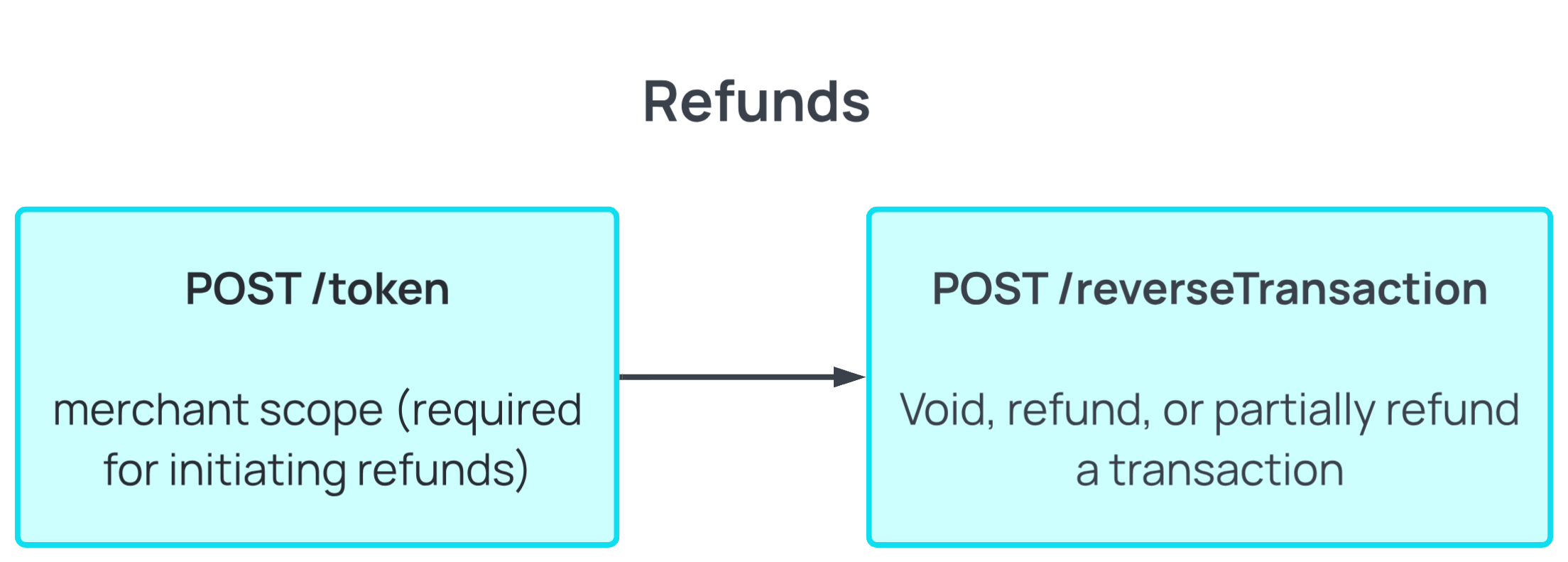
Transactions can be voided, refunded, or partially refunded with POST /v2/reverseTransaction (see full reverseTransaction reference).
If POST /v2/reverseTransaction is called on the day the payment was made, the transaction will be voided. If it's used to issue a partial refund or is called on a subsequent day, the transaction will be batched and refunded.
POST /v2/reverseTransaction
curl --request POST \
     --url https://api.sandbox-pay.aero.inc/v2/reverseTransaction \
     --header 'Content-Type: application/json' \
     --header 'accept: application/json' \
     --header 'authorization: Bearer {{merchantScopedToken}}' \
     --data '
{
  "id": "9b5781ff-5674-4ce0-9a38-597903bbee2d",
  "amount": {
    "amount": 500,
    "currency": "USD"
  },
  "referenceId": "your-external-reference-id"
}
'
If an amount is not specified in the request body, the full transaction amount will be refunded/voided.
There is no time limit on refunds, but we recommend setting 90 day refund limits.
A transaction can have multiple separate reversals against it - for example, two $10 partial refunds issued against the same transaction are tracked as two independent reversal records, each with its own identifier, rather than being combined into one, as long as their amounts don't collectively exceed the original transaction amount.
Safe retries with Idempotency-Key: if a refund request times out or hits a network error, retrying it with the same Idempotency-Key header (a UUID) returns the original outcome instead of creating a second refund. The same key can't be reused with a different request body. This is optional - if no key is sent, Aeropay doesn't guard against duplicate refunds on retry, so we recommend always sending one for reconciliation purposes.
Reversal identifiers: uuid vs referenceId
Every reversal - whether it starts out queued or is processed immediately - is assigned a stable, system-generated uuid at creation. This is the value that appears as the id field in queuedRefunds/refunds (GET /v2/transaction/{transactionUUID}/refunds) and in the refundTransaction/queuedRefunds arrays of the transaction_refunded webhook. If a queued refund is later processed, the same uuid carries over to the resulting reversal transaction.
You can also optionally pass a referenceId (max 64 characters) in the request body to correlate the refund with your own records.
Voids are the one exception: since a void doesn't create a second transaction record, there's no separate reversal referenceId to generate. The synchronous API response from POST /v2/reverseTransaction already contains everything you need to reconcile a void: the original transaction's uuid, the original transaction's referenceId, and the reversal referenceId you passed in the call - so for voids specifically, you don't need to rely on the webhook for correlation at all.
Refund lifecycle: queued, processed, or abandoned
Not every reversal resolves the moment you call the endpoint. If the original transaction hasn't settled yet - a reversal requested soon after the same-day void window - it's queued rather than processed immediately:
- Queued - the reversal is waiting on the original transaction to clear. A transaction_refunded webhook fires right away to acknowledge the refund has been queued.
- Processed - once the original transaction clears, the queued refund is generated and becomes a real reversal transaction, carrying forward the same uuid and referenceId from when it was queued. Each released refund fires its own transaction_refunded webhook containing that reversal, plus any refunds on the transaction that are still queued.
- Abandoned - if the original transaction is returned NSF before the queued refund can be processed, the refund is abandoned instead: no reversal transaction is created, and no money moves. A transaction_refunded webhook still fires, with the refund's status set to abandoned, so you can update your own records accordingly.
Use GET /v2/transaction/{transactionUUID}/refunds at any point to check the current state of refunds against a transaction. refunds lists reversals that already have a reversal transaction created; queuedRefunds lists reversals that are still queued or were abandoned - the status on each item tells you which.
Managing Bank Accounts
Aeropay recommends that you prompt users to link a bank account during registration, at the time of checkout, and in the user's profile (if applicable), as these are universally recognized places a user would expect to update their bank. Doing so has been shown to result in higher user conversion.
A user's existing connected bank accounts can be accessed via the GET /v2/bankAccounts endpoint. If a user has connected more than one bank account, the bankAccounts array will return multiple available accounts. The default bank will always have isSelected: true.
PATCH /v2/userBankAccount
This endpoint sets a bank account as the user's default. Passing a bankAccountId sets isSelected: true for that account - it does not link a new bank account, it simply marks an already-linked one as the account to use automatically when no bankAccountId is specified in a POST /v2/transaction call.
curl --request PATCH \
     --url https://api.sandbox-pay.aero.inc/v2/userBankAccount/{{bankAccountId}} \
     --header 'Content-Type: application/json' \
     --header 'accept: application/json' \
     --header 'authorization: Bearer {{token}}'
Updated 22 days ago